Web Development
Where Native CSS Falls Short and How a CSS Post-Processor Helps
Native CSS now has variables, nesting and :has(), but it still cannot react to what a visitor has seen, sticky state, overflow or text. Here is how a runtime CSS post-processor fills those gaps.
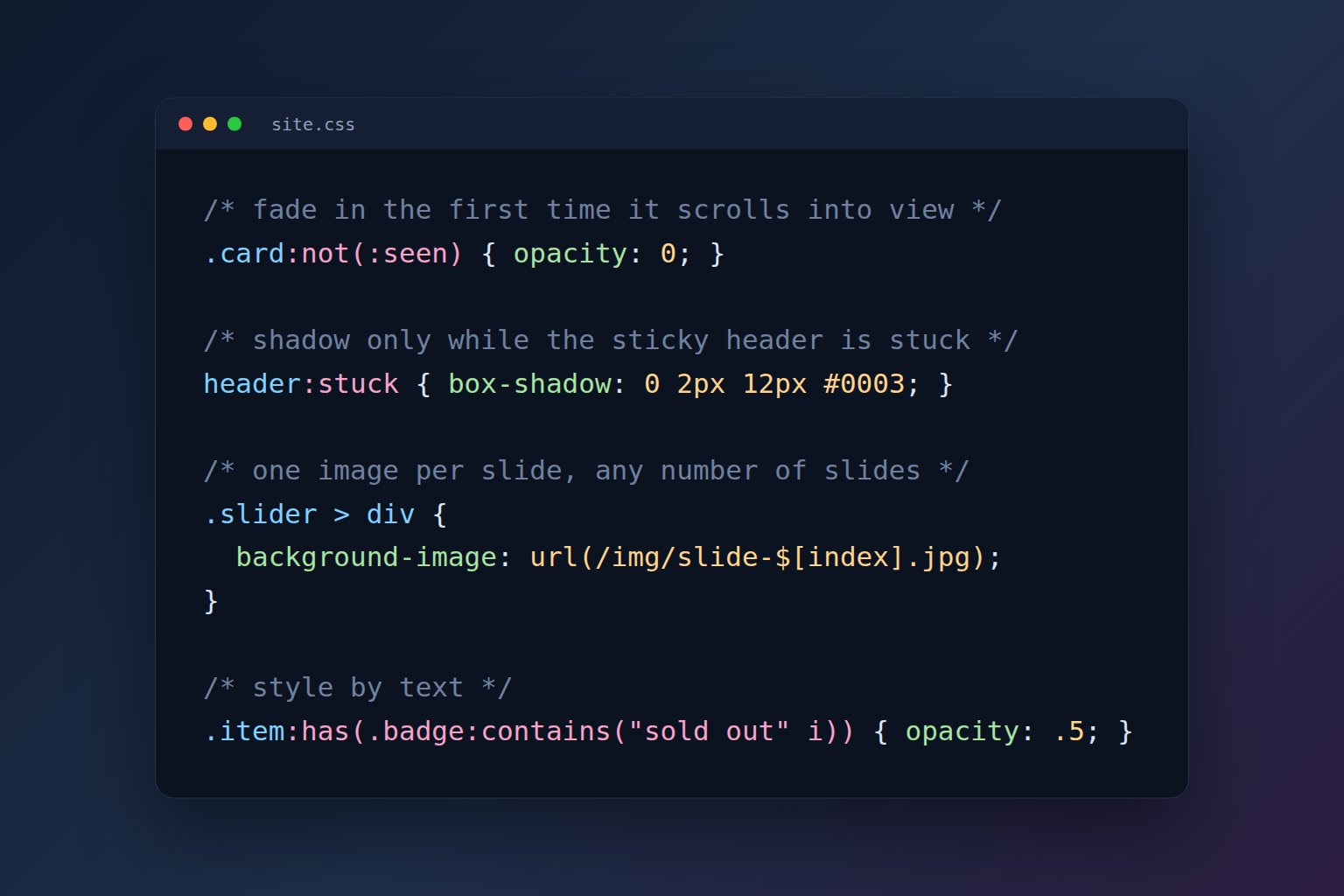
Modern CSS covers far more than it did a few years ago. Custom properties, nesting, :has(), container queries, clamp() and aspect-ratio all work in current browsers, and much of what teams once needed Sass or LESS for can now be written directly. Yet many sites still rely on JavaScript for simple visual behavior: fading a card in when it scrolls into view, adding a shadow while a sticky header is pinned, or showing "Read more" only when text is cut off. Each script is small, but together they become observers and listeners that someone has to maintain.
A CSS post-processor takes a different approach. Instead of compiling a stylesheet before deployment, it reads the stylesheet in the browser, where it can see the page, and turns extended syntax into ordinary CSS. This article looks at the gaps native CSS still has and how CSS Post Processor (css-pp) addresses them.
Disclosure: CSS Post Processor is written and maintained by Alex Bobrov, founder of Omega Concepts. It is free and open source under the MIT License.
Preprocessors and post-processors
Sass, LESS and PostCSS transform CSS at build time. They are excellent for modules, loops, functions and static variables, and the result is plain CSS. Because they run before the page exists, though, they cannot use anything that depends on it: how many slides a slider has, how wide the window is, or whether an element has been scrolled into view.
A runtime post-processor works after the page loads. CSS Post Processor fetches a stylesheet with css.open('/css/site.css'), compiles it, and writes plain CSS into a <style> element. Its custom selectors become attribute selectors such as [data-css-seen], which small observers switch on and off, so the browser's own engine still does the matching. The comparison with Sass, LESS, PostCSS and native CSS shows where each approach fits.
Gap 1: CSS doesn't know what the visitor has seen
There is no native selector for "this element has scrolled into view." Scroll-driven animations exist in Chromium-based browsers, but they drive animations rather than arbitrary styles. The usual workaround is an IntersectionObserver that adds a class.
With css-pp, that state is a selector:
.card:not(:seen) { opacity: 0; translate: 0 2rem; }:seen accepts a threshold such as :seen(30%), and :in-view applies only while the element is visible. The state selectors documentation covers both.
Gap 2: Sticky, overflowing and wrapped elements
position: sticky pins an element, but CSS can't reliably tell when it is actually pinned: scroll-state(stuck) queries work only in Chromium. There is also no native selector for truncated text, and no way to tell that a flex item has wrapped onto a second row.
css-pp adds :stuck, :overflowing and :wrapped. A header can gain a shadow only while it is stuck, a "Read more" link can appear only when an excerpt is cut off, and a navigation bar can switch to a menu button the moment its links no longer fit on one line.
header:stuck { box-shadow: 0 2px 12px #0003; }
.post:has(.excerpt:overflowing) .more { display: inline; }
Gap 3: Selecting by text and comparing numbers
The :contains() selector was dropped from the CSS3 drafts and never shipped, and attribute selectors compare text, not numbers. A product list that should dim "sold out" items or flag low stock usually needs a script or extra classes from the server.
css-pp supports :contains("sold out" i) and numeric comparisons such as [data-stock<5] or [data-price>=100]. Because these compile to attribute selectors, they also work inside native :has(). See content selectors.
Gap 4: Per-element values and variables in url()
url() doesn't accept variables or functions, so an image sequence needs one rule per image. Native sibling-index() gives each element a number, but it can't build a file name.
css-pp's $[index] gives every matched element its own value, even inside url():
.slider > div { background-image: url(/img/slide-$[index].jpg); }Other built-ins include $[count], $[random(1,5)] and $[attr(data-x)]. Variables can also be JavaScript expressions or mixins with parameters, and a variable marked with ! is recalculated when the window is resized. See $[index] and variables and mixins.
Gap 5: Pseudo-elements you can interact with
::before and ::after often draw icons, badges and close buttons, but native CSS doesn't allow :hover on a pseudo-element, and JavaScript can't tell whether a click landed on one. css-pp adds ::after:hover in CSS and css.on('click', '.chip::after', fn), which fires only when the click lands on the pseudo-element. css.pseudo(el, '::after') reads or changes a single element's pseudo-element. See pseudo-elements.
Everyday helpers
:currenthighlights links to the current page or section without server-side logic.:scrolledand:scrolling-downshrink or hide a header after scrolling.img:loadedandimg:brokenfade images in and hide broken ones.:filledand:dirtysupport floating labels and unsaved-change warnings.font-size: fit(24px, 120px)fits a headline to its box, andheight: samegives matching cards equal heights.
The recipes page has copy-paste examples for each of these.
When it fits and when it doesn't
A runtime library suits sites without a build pipeline: static HTML, WordPress or other CMS themes, and server-rendered PHP or Perl pages. Installation is one script tag (10.4 KB gzipped, no dependencies) or npm install css-post-processor. The project reports about 9 ms to process a 74 KB stylesheet on a desktop computer.
It isn't the right choice everywhere. Styles that must exist before any JavaScript runs belong in plain CSS. Strict Content Security Policies without 'unsafe-eval' block JavaScript expressions and built-in values, although nesting and selectors still work. It doesn't save bandwidth either: the library adds 10.4 KB, and after gzip a css-pp stylesheet and its compiled plain-CSS version are about the same size. If native CSS already does what you need, use native CSS.
A practical split is to write plain CSS for layout and the first screen, and use the post-processor for the states the browser can't express: what has been seen, what is stuck, what overflows and what contains certain text. That keeps the stylesheet readable and replaces one-off scripts with selectors.
To try it, start with the documentation or download the library. If you would like help modernizing a website's front end, contact Omega Concepts.